As I've been using Galaxy S3 for around a month now, I decided to sell my first Android cell, which was HTC Desire Z. I'm trying to find possible purchaser in Facebook's local "second hand" community and hoping to get rid of it because it lays in one of my bureaus without no meaningful purpose.
I put 180 euro starting price because I wanted to drop out possible discount beggers. Also even Desire Z is not brand new, it's still in very good condition: purchase date was April 18th 2011, screen had screen protector since first use without forgetting of active use of HTC's official accessorize, leather pouch.
When writing this post, my sale advertisement has been online a bit less than 24 hours and already got one possible purchaser. Now just waiting for real contact to proceed purchase process.
lauantai 6. lokakuuta 2012

maanantai 17. syyskuuta 2012
Personal consequences of delayed official JB build release
First information about Jelly Bean release date was September, but according to Samsung Denmark, new release date is October or it could still delay to November. Whoever ICS gets still smaller OTA updates.
After rooting Galaxy S3, mobile cannot receive anymore official updates either via OTA or Kies. Still mobile keeps receiving notifications always when new update available. Because there's no "don't remind me" option, it's a bit annoying to manually cancel update announcements.
Only solution for going through issue mentioned above is to un-root Galaxy S3, install newest updates and then re-root mobile again. Process is not complicated, but it has to be done manually which takes around five minutes to complete.
Basically un-root process is simple: only needed step is flash stock ROM via Odin. Again XDA Developers Forum provides easy, step-by-step instructions to complete the process.
Now just hoping that not so many new official updates for ICS (4.0.4) before official JB (4.1.1) release.
Ps. I've to admit again that this phone keeps me satisfied from the purchase date.
After rooting Galaxy S3, mobile cannot receive anymore official updates either via OTA or Kies. Still mobile keeps receiving notifications always when new update available. Because there's no "don't remind me" option, it's a bit annoying to manually cancel update announcements.
Only solution for going through issue mentioned above is to un-root Galaxy S3, install newest updates and then re-root mobile again. Process is not complicated, but it has to be done manually which takes around five minutes to complete.
Basically un-root process is simple: only needed step is flash stock ROM via Odin. Again XDA Developers Forum provides easy, step-by-step instructions to complete the process.
Now just hoping that not so many new official updates for ICS (4.0.4) before official JB (4.1.1) release.
Ps. I've to admit again that this phone keeps me satisfied from the purchase date.
keskiviikko 5. syyskuuta 2012
Era of rooting
Finally got time to post Galaxy S3 related thingie here. As I mentioned in previous post about writing here how to root Galaxy S3 to gain system priviledges also known as admin rights.
As usually XDA Developers Forum provides any possible help and support for Android deving, and XDA community didn't betray me even now.
Samsung Galaxy S3 and its variants has own section in XDA forum, which already includes tons of information divided to following sections:
- General
- Q&A
- Accessories
- Android Development
- Original Android Development and
- Themes and Apps
Read more from here.
When concentrating to "how to root" instructions, I wanted just root and install BusyBox for now, and leave installing custom recovery, ROM and kernel to future.
So basically I started to search easy-root instructions from XDA Developers Forum and after doing some research I found following thread called "[SAMSUNG GALAXY S3 TOOLKIT V5.0] Drivers, Backup, Root, CWM, BusyBox + MORE [GSM]".
As title announces, thread mentioned above provides easy, step-by-step instructions how to root with program called Samsung Galaxy S3 Toolkit.
Instructions in nutshell is following:
- Download and install Samsung USB drivers to computer
- Download and install program called Odin
- Download and install Samsung Galaxy S3 Toolkit (program mentioned above)
- Set "USB debugging" from mobile
- Connect mobile to PC via USB cable
- Start Toolkit (mentioned above) and follow strictly instructions given by Toolkit
Full instructions and dev discussion can be found from here.
lauantai 1. syyskuuta 2012
Samsung Galaxy S3 introduction and unboxing pictures

As I've introduced my new flagship model in previous post, now it's time to introduce it more detailedly, which also includes several unboxing pictures.
First let's get started with official information from manufacturer, which can be found from Samsung's official website.
Whoever I'd like to point out the most essential features and specifications which probably stays strongly behind Galaxy S3's title of the flagship model. When concentrating first to phone's features, I want to point out especially Smart Stay and S Voice which are very perfect measurements for smartphone of new era.
On the other hard, phone's specifications in its entirety is worth of mention, but a few more than perfect details are 4.8 inch HD Super AMOLED screen, quad-core 1.4 GHz Cortex-A9 processor (Exynos 4412 Quad chipset), 1GB RAM and Android 4.0 - ICS (4.1 JB compatible when released).
And about the personal purchase, I bought Galaxy S3 (int. edition) from local retailer in Finland. Suggested retail price was 579 euro, which is currently quite common all around the Finland. Whoever I got fixed price which was mentionable because of high normal price.
Also I bought Samsung's official accessory called Samsung Galaxy S® III Flip Cover to protect screen's possible damages. I've used screen protectors since my first touch screen mobile, which I've experienced as a good manner so I decided to continue it with my new Galaxy S3. I've found Insmat's screen protectors valuable which means in this case good quality-price ratio.
During the purchase date (August 25th) suggested retail price for Flip Cover was 24.90 euro and Tiamat's screen protector package (2 pcs) was 9.90 euro but I paid 40 euro for both. Today it seems that price of Samsung Galaxy S® III Flip Cover varies in Finland, cheapest price was 14.90 euro what I've heard so far.
But now it's enough for written introduction and it's time for some unboxing pictures.


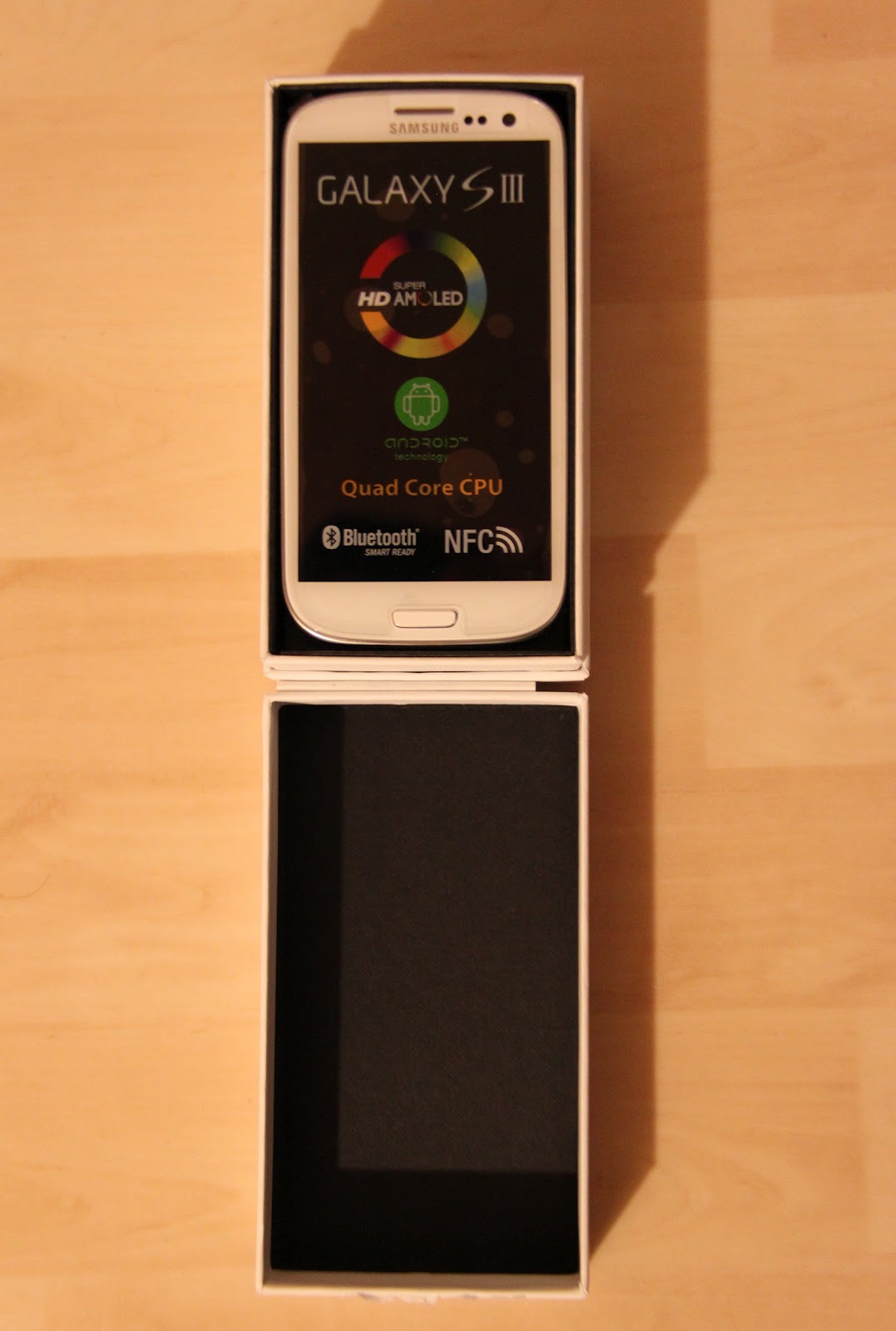


sunnuntai 26. elokuuta 2012
New blog name - new era
It was time to change name of the blog from Desirezeta to Android deving. Someone may wonder why it was necessary? Answer is quite simple, and it's... *DRUM BEAT*
because I replaced my HTC Desire Z with new Samsung's flagship model Galaxy S3. I bought it on Sat (Aug 25th) and after less than two days use I can easily say that this is way more than smooth. So can't blame why it carries name "flagship model". I'll post some unboxing pictures here sooner or later, probably those are available in next blog post.
And finally about Android deving, already rooted (with BusyBox) my new treasure, mainly to get rid off ads and possibility to have full backup. Whoever CWM and custom ROM can still wait because I'm still satisfied with Samsung's stock ROM (inc. Touchwiz) and anyway official JB is coming soon.
When CM10 (JB 4.1.1) becomes more stable for daily use, maybe then I re-think about flashing custom recovery and ROM.
Also more information about easy-rooting is available in next post, so be patient.
because I replaced my HTC Desire Z with new Samsung's flagship model Galaxy S3. I bought it on Sat (Aug 25th) and after less than two days use I can easily say that this is way more than smooth. So can't blame why it carries name "flagship model". I'll post some unboxing pictures here sooner or later, probably those are available in next blog post.
And finally about Android deving, already rooted (with BusyBox) my new treasure, mainly to get rid off ads and possibility to have full backup. Whoever CWM and custom ROM can still wait because I'm still satisfied with Samsung's stock ROM (inc. Touchwiz) and anyway official JB is coming soon.
When CM10 (JB 4.1.1) becomes more stable for daily use, maybe then I re-think about flashing custom recovery and ROM.
Also more information about easy-rooting is available in next post, so be patient.
keskiviikko 27. kesäkuuta 2012
Switching ICS build
Being an active XDA Developers forum user, I recognized new Andromadus ROM build, which is
"based off CyanogenMod 9 and forked from three mighty Andromadus main repo."
More information about Andromadus Mimicry can be found from here.
As a first glance it runs "a bit" smoother than Audacity b4 though it still suffers from same issues than any other ICS rom for Vision.
I'm truly waiting official drivers from HTC, it's time for petition!
"based off CyanogenMod 9 and forked from three mighty Andromadus main repo."
More information about Andromadus Mimicry can be found from here.
As a first glance it runs "a bit" smoother than Audacity b4 though it still suffers from same issues than any other ICS rom for Vision.
I'm truly waiting official drivers from HTC, it's time for petition!
torstai 24. toukokuuta 2012
My mobile phone timeline
Cheers mates!
I decided to gather all my previous (and current) mobile phones to timeline. It took a while to remember which were those mobile phones I had during my previous years.
After a moment, I had a list of all my previous brands and models and later on I searched pictures from all phones via Google picture search. With help of Photoshop and my average graphic design skills I created simple timeline, where all my previous phones are in chronological order. Timeline describes pictures and model names.
Even thought timeline is not part of my Android development project, I want to share it among my blog readers.
I decided to gather all my previous (and current) mobile phones to timeline. It took a while to remember which were those mobile phones I had during my previous years.
After a moment, I had a list of all my previous brands and models and later on I searched pictures from all phones via Google picture search. With help of Photoshop and my average graphic design skills I created simple timeline, where all my previous phones are in chronological order. Timeline describes pictures and model names.
Even thought timeline is not part of my Android development project, I want to share it among my blog readers.
 |
| All my past phones (and current one) in chronological order |
Tilaa:
Blogitekstit (Atom)