torstai 6. elokuuta 2015

Worthiness of rooting

Ahoy mateys,

since it's again more than a month from previous post, finally I decided to give a try to share some new thoughts among my readers.

Despite of Nexus 5 being Vanilla Goddess, I decided to root my Hammerhead and install both custom recovery and custom ROM. Decided to go with super lazy method via using toolkit to perform needed procedures. Wug's Nexus Root Toolkit gave more than enough to satisfy my current needs, so to speak. Toolkit also allows to unlock bootloader, nonetheless did that a while ago manually through CMD Prompt.

In nutshell entire process went following: NAND backup, full wipe and then custom recovery. After phone booted successfully to TWRP, it was time to install custom ROM. My first ROM to my Hammerhead was Cataclysm since wanted to try first stock based custom ROM instead of AOSP/AOKP. After testing Cataclysm more or less a week, decided to try out custom kernel as well. Currently using ElementalX kernel providing smooth performance and battery durability combination. The perfect companion for ElementalX kernel is EX Kernel Manager by giving total control over device. Totally worth of 3,5 EUR if you want to tweak kernel's settings manually instead of using kernel's stock adjustments.

maanantai 25. toukokuuta 2015

Spigen Nexus 5 Case Ultra Fit

Hi again folks,

since had some minor cracks in my body's frame, I decided to order new case for my device. When doing some research, my priorities were basically black colored lightweight version with premium quality. After comparing various products, I finally ended up to Spigen's Nexus 5 Case Ultra Fit which I ordered directly from Spigen's online store.

Before deciding from which store I'd order Spigen's case, I ended up to Spigen's own online store for following reasons: guarantying genuine product (compared to fake alternatives from eBay or Amazon) and decent price shipping included.

Since product's price without shipping expenses would be below 22 EUR (approx 25 USD), shipment from non-EU location wouldn't land to customs here in Finland, I decided to order case from US.

Shipment confirmation included shipment tracking number, so I was able to follow my shipment via USPS tracking service which was relatively accurate even though it didn't notify me when shipment landed to airport in Finland.

Shipping duration was approx 7 days, didn't that much calculate more accurate duration.

Total cost was approx 18.5 EUR (21 USD).


Here's some unboxing photos from Spigen's case I'm currently using in my device.


Android 5.1.1 LMY48B improves battery durability

Hola folks,

as you might have noticed, Google has released new fw version for Hammerhead also known as Nexus 5. Latest release goes with 5.1.1 LMY48B build version and it's possible to download from Google Developers site under the title Factory Images for Nexus Devices. After a bit scrolling, it's possible to find device called "hammerhead" for Nexus 5 (GSM/LTE).

There's also brief factory image installation instructions on that specific site but in case you've noticed, my previous post provides alternative source for those instructions.

Quick sights from latest release

After a couple of days usage, I'd notice significant improvement compared to previous release 5.1 LMY47D. With latest version runtime more than 24 hours, free RAM has settled to approx 1.1GB which is 10-15% improvement from previous version when measuring my personal use.

Some remarks from battery usage

Here's average battery durability from 3 charges' average value. Battery lasted 25-30 hours with roughly 3 hour SOT (Screen On Time). And about my daily use in general, each email's push in every 15 minutes and all social media apps' has active push meaning when new message arrives to Facebook, phone let's me know it asap. Also some web browsing and Facebook basically every freaking day without forgetting minor video streaming from Youtube.

torstai 12. maaliskuuta 2015

It's time for Lollipop 5.1

Hi folks,

as unfortunate it is, I'vent been active lately in this olive branch. Since now I've more suitable moment and something actual to discuss, let's start with Google's latest OS announcement.

Google has released new Lollipop 5.1 release with huge promises. Catch up content of unwrapping from Android's official blog,


Since Lollipop 5.1 update was just released, I should wait OTA announcement for my N5 some days, maybe even a week. Therefore I was a bit impatient, to be honest more than a bit. Therefore finally decided to give a shot to install manually Google's official OS image. As I've been keen on XDA Developers community, decided to search instructions and some tips to complete manual OS image installation as smooth as possible. Especially this process need to be taken care of very accurate since even soft bricking my only mobile phone would be extremely crucial since therefore wouldn't have any backup option to use mobile for my daily basis needs.


HOW TO MANUALLY INSTALL OFFICIAL OS FOR NEXUS 5

To share my succeeded process, I'd like to share it among my readers as well. Therefore following part of this post consist of step by step instructions how to complete Google's official OS image installation with Windows OS. Unfortunately I don't have device with Mac OS X operating system, so therefore readers using Apple products have to search help from somewhere else, my humble apologize for that, in matter of speech.


Pre-steps


  1. Download and install USB and ADB drivers, click here
  2. Download factory image you want to install, click here
  3. Unlock bootloader manually via CMD prompt or automatically with suitable toolkit
    NB! Wipes all data from your device, remember to take backup if needed

Actual procedure
Step by step instructions provided by abaaaabbbb63 (recognized contributor at XDA Developers)

Method 1 

OR

Method 2


PERSONAL THOUGHTS

All required steps in entire process was pretty much clear to me as long is able to be enough patient and focused. Method 1 gave my error message while executing flash-all.bat. Whoever decided to give a try for method 2 which gave clear results. As a final closure for this particular post, here's screenshot proving device info of my N5.


maanantai 19. toukokuuta 2014

Deving my old warhorse

Hey folks,

probably too much time instead of concentrating to spring semester's finals since decided to locate my old warhorse - also known as Galaxy S3 Int (i9300), erase it totally and try out latest KitKat SlimKat stable. Erased all current scraps with superwipe script, updated my current custom recovery to latest CWM PhilZ touch recovery, installed latest SlimKat (known as SlimRoms) without forgetting latest minimal gapps.

Slim of approval

At least after some testing, latest stable version of SlimKat seems to be well functioning, at least from the first glance. Ofc it requires much more testing to approve if that custom ROM is honestly ready for daily use. Will see - depending how long I'm able to maintain my interest to this specific matter. Stay tuned!

keskiviikko 2. huhtikuuta 2014

Sneak peak for new revealing

Hola folks,

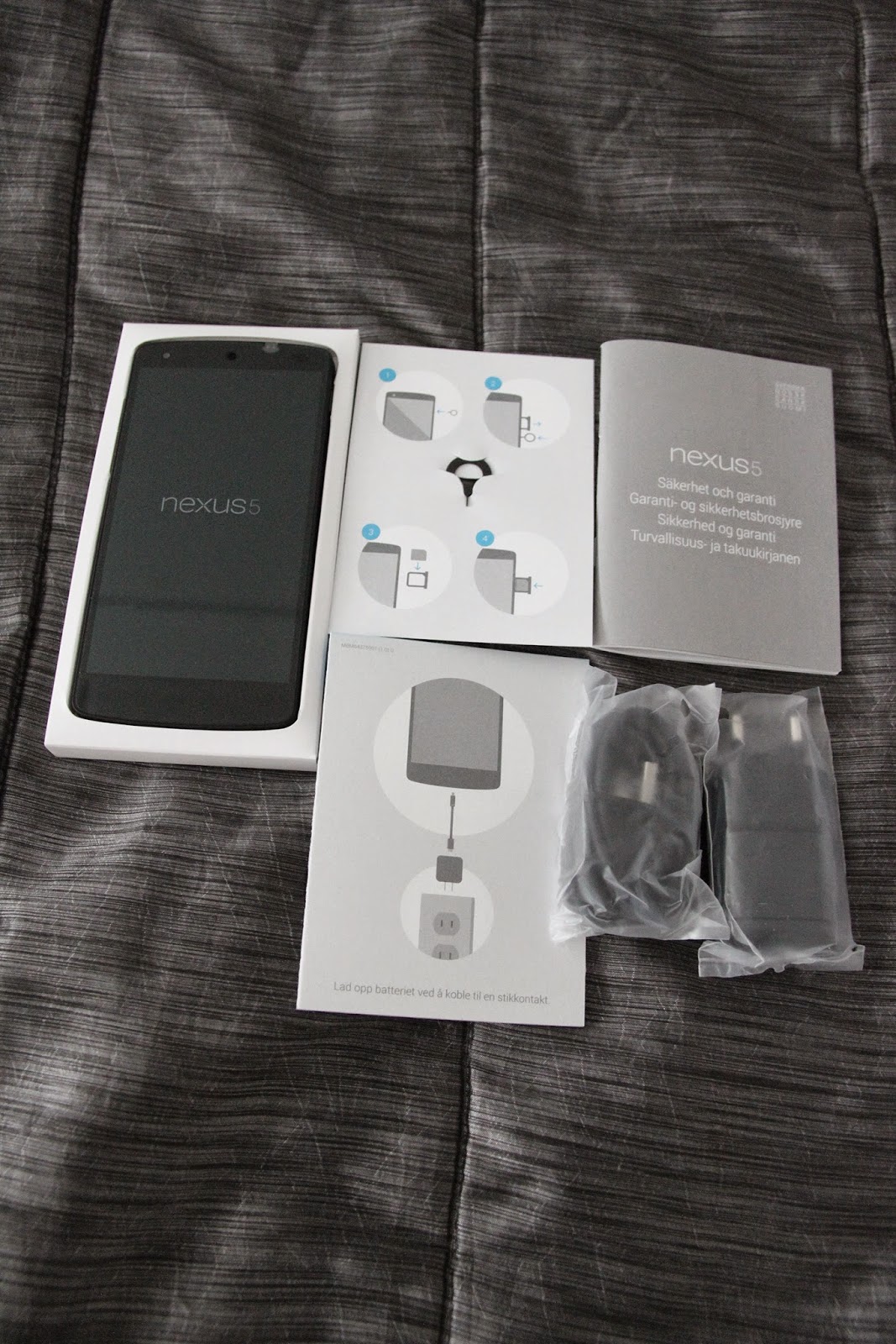
it's been quite a while from the last post so it's time for totally new reveal - which this time means unboxing photos of my latest purchase.


Ps. next post would be something more informative.

perjantai 8. marraskuuta 2013

Android 4.3 Jelly Bean update now rolling out for Samsung Galaxy S III

Great news for Galaxy S3 (i9300, Int version) owners,

according to Sammobile, Samsung has started rolling out official Android 4.3 Jelly Bean update for Samsung Galaxy S3 International version (i9300), which probably every S3 owner has been waiting more and less patiently a couple of months already.

According to earlier mentioned article, changelog for MJ9 is worth of mentioning, in other words here are changes and improvements listed briefly:

  • GALAXY GEAR Support
  • TRIM Support (Makes the device much faster)
  • ANT+ Support
  • Core UI elements updated to the ones on the Galaxy S4 (Galaxy S4′s theme all over)
  • New Samsung Keyboard
  • GPU drivers have been updated (Higher GPU benchmark scores)
  • New Lockscreen: Multiple Widgets, improved ripple effect than Android 4.1.2, ability to change clock size and set a personal message
  • New Screen modes (From S4): Adapt Display and Professional Photo
  • Daydream
  • Driving mode
  • Actionable notifications
  • Move-to-SD-card feature
  • New Camera mode : Sound and Shot
  • New Additions in Notification Centre
  • Completely revamped Settings UI (Tabbed interface – Exactly like the Galaxy S4)
  • Implementation of Voice controls (Let’s you control various parts of the phone using voice commands – Galaxy S4 feature)
  • New Samsung Apps: Calculator, Clock, Contacts, Gallery, Music
  • Full screen Samsung apps
  • New S-Voice (from Galaxy S4)

In my case I'm waiting new build for my favorite custom ROM - Android Revolution HD which is probably more well known as ARHD. According to its developer, new build is coming out soon. Now I've to just wait it patiently due not going to change from ARHD to another custom ROM just because would be already existing new build based on Samsung's latest 4.3 JB update.

In nutshell: I'm going to wait for ARHD's next build, then make fresh install through factory reset and manually install all needed applications and configure all required settings. After that I'll post here some thoughts and personal user experience to share knowledge among my fellow readers.

Stay tuned!